Can Alexa Listen When the Blue Light Is Not On?
By Marlo Strydom · Updated
Yes, but not in the way most people fear. A plugged-in, unmuted Echo keeps its microphones on while the ring is dark, but it only listens for its wake word. By default, it does not save or send any audio to Amazon until it thinks it heard that word.
What Happens When the Echo Light Is Off
Here is what each light means for your privacy:
- Dark ring: The device is idle, and the microphones wait for the wake word.
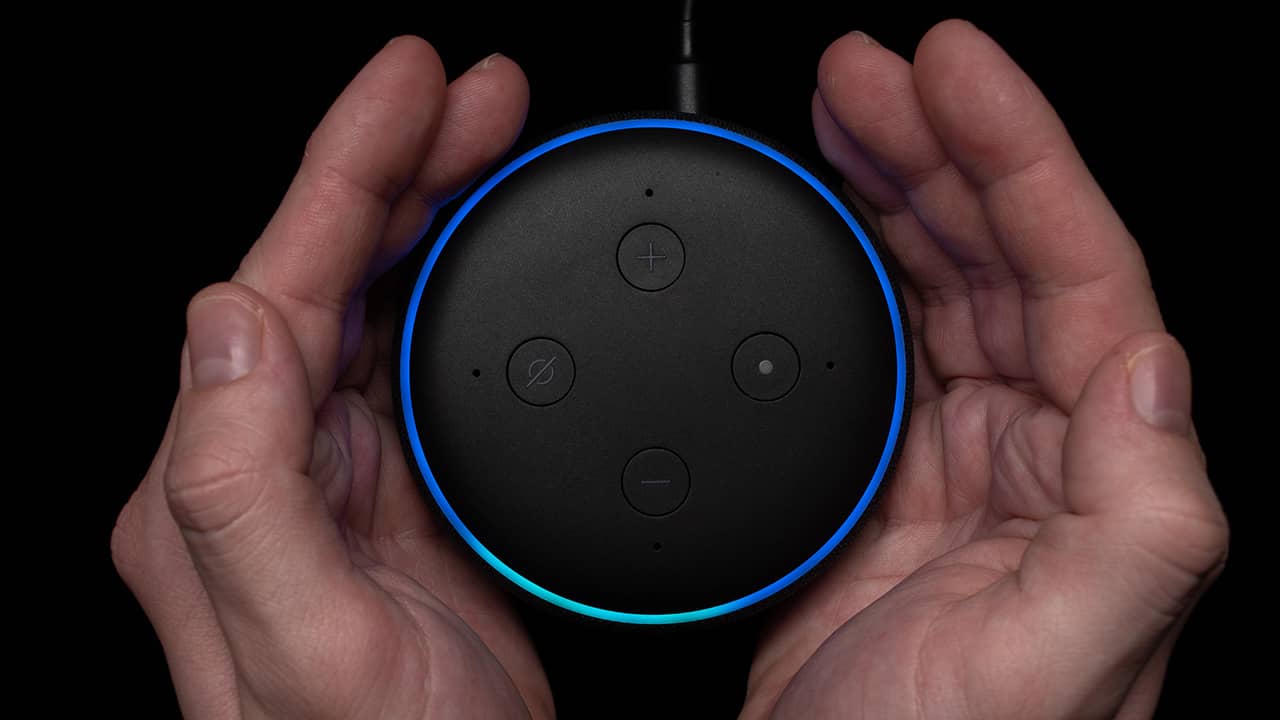
- Blue and cyan light: Alexa is listening, thinking, or responding.
- Solid red light: The microphones are off on most Echo speakers.
No Blue Light Does Not Mean the Microphones Are Off
Hands-free voice control only works if the Echo can hear its wake word while it is idle. It matches nearby sounds against the sound pattern of your chosen word, such as Alexa, Echo, Amazon, Computer, or Ziggy.
Amazon's Alexa and Echo privacy explanation says that, by default, no audio is saved or sent to the cloud unless the device hears the wake word, you press a button to start Alexa, or you use a feature that lets you talk without the wake word.
That is why an Echo can react even though the ring was dark a moment earlier. The blue light only comes on once the device believes a request has started.
When Alexa Records and Sends Audio
After it hears the wake word, an Echo records your request and streams it to Amazon so Alexa can answer. The recording also includes a split second of sound from just before the wake word. Amazon says a light or sound signals when audio is going to the cloud.
The usual signal is a blue light with a cyan area pointing toward the person speaking. Amazon's official light ring guide shows how the blue pattern changes as Alexa listens, thinks, and responds.
If the blue light stays on after the request ends, the device may be stuck. Try our fixes for an Alexa solid blue ring.
Why Alexa Can Activate Without a Clear Wake Word
An Echo can sometimes mistake part of a TV show, conversation, or other sound for its wake word. Amazon calls this a false wake. Amazon then double-checks the wake word in the cloud, and if that check fails, Alexa stops processing the audio.
Other settings can also change when Alexa expects speech:
- Follow-Up Mode: Alexa may listen briefly for another request after answering, so you do not have to repeat the wake word.
- Action button: Pressing the button can start Alexa without saying the wake word.
- Sound detection: A supported routine may be set to detect a sound such as breaking glass or a smoke alarm.
If false wakes happen often, move the Echo away from the TV or try a different wake word.
How to Check What Alexa Heard
Voice history can show whether Alexa recorded a request and what the device thought it heard. Menu names can change with Alexa app updates, but the usual path is:
- Open the Alexa app.
- Open More, then Alexa Privacy.
- Select Review Alexa History (called Voice History in some versions).
- Choose the Echo device and time range.
- Review or delete recordings you do not want to keep.
You can also open Amazon's Alexa privacy settings while signed in. A recording you do not recognize may be a false wake, another household member, a routine, or an accidental button press.
How to Stop the Echo Microphones
Press the microphone-off button when you do not want the Echo to hear its wake word. Amazon says this cuts power to the microphones, and on most Echo speakers the light ring turns red. Alexa cannot respond to your voice again until you press the button to turn the microphones back on.
Unplug the Echo if you want it fully off. Muting is easier for short breaks, while unplugging also stops alarms, routines, audio, and smart home control from that speaker.